6 Affordable AI-Powered Tools for Making Posters
In need of compelling poster templates for your upcoming birthday party? Or maybe you’re just on the lookout for an online design platform for making social media marketing graphics. Whatever your needs, we’ve got you covered.
For a more efficient and creative design process, we’ll guide you through the top poster maker tools for making compelling visual content that stands out. Whether you’re a small business or pro marketer, we’ve gathered the most recommended design platforms for every type of design need. Let’s dive in!
What Are the Most Budget-Friendly Platforms for Designing Posters?
With AI, designing posters has never been more convenient. Here is a quick breakdown of the most beginner-friendly AI poster makers you can find online:
- Fotor
Best for
- Photographers
- Social media creators
Overview
Fotor is a web-based photo-editing tool ideal for both amateur and experienced photographers/designers. While it also offers basic graphic design tools, Fotor mainly focuses on image enhancement needs, such as tools for photo retouching and filters.
Key features
- Design and collage templates
- Effects, fonts, elements
- Custom AI styles
- Cloud storage
- Batch editing
Pricing plans (per month)
- Fotor
- Fotor Pro ($8.99)
- Fotor Pro+ ($19.99)
Pros and cons
| Pros | Cons |
| ✅Ideal for advanced photo-editing needs | ❌Fewer templates compared to other tools |
| ✅Includes AI-powered editing tools for image enhancements and batch editing | ❌Limited team collaboration features |
| ✅Accessible interface for beginners | ❌Limited export options on free plan |
Poster sample

- Snappa
Best for
- Amateur designers
- Users who don’t need advanced design tools
Overview
Snappa is an online graphic design tool with a basic drag-and-drop editing interface. Due to its simplicity, Snappa is ideal for amateur designers or those in need of quick graphic designs for social media or other needs.
Key features
- Image dimensions
- Pre-made templates
- High-resolution stock photos
- Text, graphics, and effects
- Background remover
Pricing plans (per month)
- Free
- Pro ($15)
Pros and cons
| Pros | Cons |
| ✅Clean and responsive interface | ❌Limited design tools for dynamic content |
| ✅Extensive library of stock photos and assets | ❌Very few social media management tools |
| ✅User-friendly design tools | ❌Limited layout controls for advanced editing needs |
Poster sample
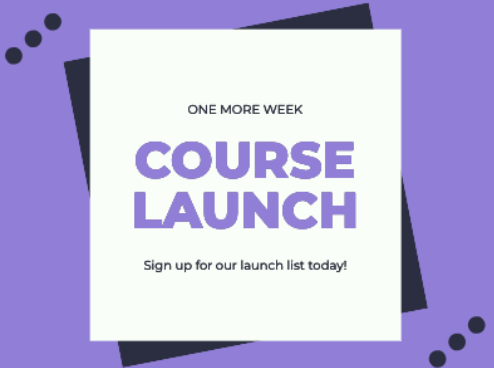
- Canva
Best for
- Social media managers
- Marketing teams
Overview
Canva is another online design tool popular among many users due to its diverse graphic design tools. With Canva, users can simply drag and drop different elements to create various types of visual content.
Key features
- Drag-and-drop editor
- Video editor
- Image enhancer
- Text animations
- PDF to PPT
Pricing plans (per month)
- Free
- Pro ($15)
Pros and cons
| Pros | Cons |
| ✅Accessible and strong team collaboration features for simultaneous real-time editing | ❌Limited free plan |
| ✅Diverse design types and templates | ❌Few customization options |
| ✅Various integrations with other tools | ❌Some templates may appear generic |
Poster sample

- VistaCreate
Best for
- Non-designers
- Social media marketers
Overview
VistaCreate is another online graphic design platform with a simple interface for making posters and social media graphics. Compared to other tools, VistaCreate puts a focus on dynamic content, such as basic animations and video content.
Key features
- Object remover
- Image combiner
- Outline maker
- Color styles
- Photo filters
Pricing plans (per month)
- Free
- Pro ($13)
Pros and cons
| Pros | Cons |
| ✅Large template library for dynamic content | ❌Very limited free plan |
| ✅User-friendly Brand Kit tool | ❌Fewer templates compared to other platforms |
| ✅Simple interface ideal for non-designers | ❌Pricier subscription plans compared to other tools |
Poster sample

- Piktochart
Best for
- Schools
- Office use
Overview
Piktochart is a design platform that specializes in creating data-heavy content like infographics and presentations. Similar to other tools, Piktochart also functions using a drag-and-drop editor.
Key features
- Premium icons, illustrations, and 3D graphics
- Brand Kits
- Branded Templates
- Cloud storage
- Enterprise plans
Pricing plans (per month)
- Free
- Pro ($29)
- Business ($49)
- Enterprise (Custom pricing)
Pros and cons
| Pros | Cons |
| ✅Ideal for data-heavy visual content | ❌Pricey subscription plans |
| ✅Wide variety of design assets for charts and graphs | ❌Very limited free plan |
| ✅Diverse AI tools | ❌May be overkill for basic poster-making needs |
Poster sample
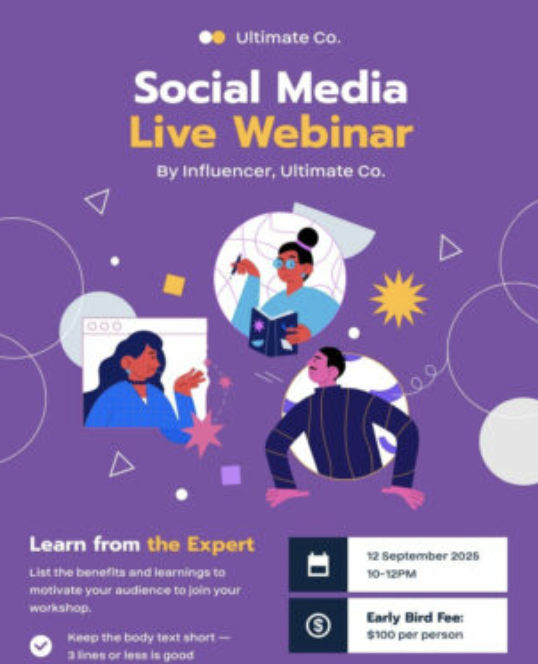
- PosterMyWall
Best for
- All-around use
- Small businesses
- Marketers
Overview
PosterMyWall is an all-in-one design, social media management, and marketing platform all rolled into one tool. While it may be more popular for its 1M+ free and customizable templates, PosterMyWall also offers a diverse set of design tools, including an AI Images tool and an AI background remover to fit the needs of every type of user.
Key features
- Text-to-image generator
- AI writer
- Background remover
- One-click-resizing tool
- 1M+ free and customizable templates
- Brand Kit tool
- Content Planner
Pricing plans (per month)
- Free
- Premium ($9.95)
- Premium Plus ($29.95)
Pros and cons
| Pros | Cons |
| ✅Extensive library of diverse and free-to-use templates | ❌Limited advanced photo editing tools |
| ✅Wide variety of AI tools (text-to-image, AI writer, etc.) | |
| ✅Cost-effective subscription plans |
Poster sample
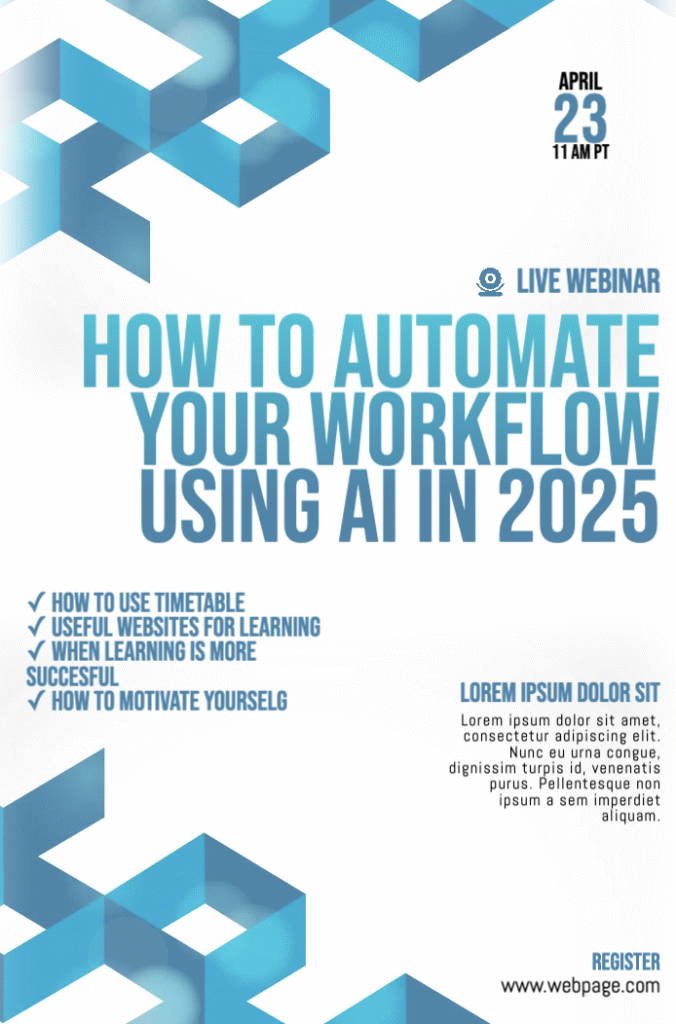
How Can I Choose the Best Online Design Tool Based on My Needs?
When it comes to choosing the best online design tool, there’s unfortunately no one-size-fits-all rule. But if you’re on the search for a platform that can best match your specific needs, we’ve prepared a quick guide on the different aspects you can consider below:
- Ease of use
While most online design tools offer a relatively accessible interface and design tools, some are better suited for beginners compared to others. As a tip, try selecting a tool that best matches your comfort level for an easy design process.
- Pricing
Although pricier online design tools like Piktochart can offer some additional advantages, they may also be overkill for most users. So, if you’re just in need of basic graphic design tools for your visual content, it may be more beneficial to select more budget-friendly options.
For instance, Fotor offers affordable plans for photo editing needs, and PosterMyWall has generous paid and free plans for all-around graphic design needs.
- Template library
The advantages of a diverse and extensive template library cannot be overstated. Whether you’re just aiming to create a product announcement poster or a flyer for your upcoming event, having a built-in set of templates can help take your creativity to the next level.
Frequently Asked Questions (FAQs)
Why should I use an AI-powered tool for making posters instead of a traditional design software?
While you can fulfill a diverse range of graphic design needs using traditional design software, an AI poster maker can make your process more efficient and creative. With tools like a text-to-image generator, you no longer need to scour the web in search of a specific stock photo. Instead, you can simply input a prompt indicating what you need and let AI do the work for you.
Are AI-powered poster makers expensive?
Although some AI poster makers can get pricey, other options like PosterMyWall offer affordable and generous pricing plans to access its various AI-powered tools. Not only that, but you can also get access to other great built-in features for social media management and an email marketing tool.
Do I need to be an experienced designer to use an AI poster maker?
The great thing about AI poster makers is that you don’t have to be a pro to use them. In fact, you don’t need to have any prior knowledge in order to generate images and text for your different design needs. Instead, you simply need to select a user-friendly AI tool, input your prompt, and get results within seconds.
Level-Up Your Posters With AI
Whether you need a simple poster design or want to get started experimenting with pro-level design techniques, an AI poster maker can help. Not only are they a budget-friendly way to get work done faster, but you’ll get various tools that can help bring your creative ideas to life.
Why not start today? Select an AI poster maker of your choice, start your design with a template, and take advantage of AI tools to create eye-catching and professional-looking posters with ease.